

Description
Download Cigati OST to PDF Converter – Secure, Fast & Reliable OST to PDF Conversion Tool for Windows, Mac, Android, iOS
Overview: Cigati OST to PDF Converter is a powerful, secure, and user-friendly software designed to help users effortlessly convert OST (Offline Outlook Data) files into PDF format. Ideal for businesses, IT professionals, and individuals managing large volumes of email data, this tool ensures a smooth and reliable migration from OST to PDF. With its advanced features like duplicate email removal, file splitting, and batch conversion, it stands out as a top-tier solution for data preservation and organization. The free demo version allows users to test the software’s capabilities before purchasing, making it a risk-free choice. Whether you're preparing for a system upgrade, backing up critical emails, or archiving data, Cigati OST to PDF Converter delivers precision, speed, and peace of mind. Compatible with Windows, Mac, Android, and iOS, this versatile tool is a must-have for anyone working with Outlook data.
Advanced Features That Make Cigati OST to PDF Converter Stand Out
When it comes to converting OST files to PDF, not all tools deliver the same level of reliability and functionality. Cigati OST to PDF Converter goes above and beyond with a suite of intelligent features tailored to real-world user needs. One of its standout capabilities is the duplicate email removal function. During the conversion process, the software automatically scans the OST file and identifies redundant or repeated emails, ensuring that your final PDF archive remains clean and organized—ideal for legal, financial, or compliance-related documentation. Another powerful feature is file splitting, which allows users to divide large PDF outputs into smaller, manageable segments. This is especially useful when dealing with massive email archives that exceed standard file size limits for email attachments or cloud storage platforms.
The software also supports batch conversion, enabling users to convert multiple OST files at once without manual intervention. This significantly reduces processing time and effort, making it perfect for enterprise-level migrations or large-scale data backups. Additionally, the preview mode lets you inspect individual emails and folders before conversion, ensuring accuracy and reducing the risk of data loss. The interface is intuitive, with clear navigation and real-time progress tracking, making it accessible even for non-technical users. With secure encryption and temporary file deletion after conversion, your sensitive data remains protected throughout the process. Whether you're converting a single file or an entire mailbox, Cigati OST to PDF Converter ensures precision, efficiency, and data integrity.
For those who need to preserve metadata such as sender, recipient, date, and subject, the software retains all original information in the PDF output. This makes it an excellent choice for audit trails, legal records, or long-term archival. The ability to customize PDF settings—such as page layout, orientation, and compression—gives users full control over the final output. These advanced features collectively position Cigati OST to PDF Converter as a comprehensive, future-proof solution for anyone serious about managing Outlook data effectively and securely.
Easy Installation, Seamless Usage, and Cross-Platform Compatibility
One of the biggest advantages of Cigati OST to PDF Converter is its straightforward installation and hassle-free setup process. The software is designed with user experience in mind, ensuring that even first-time users can get started within minutes. Simply download the installer from the official website, run the file, and follow the on-screen prompts. The installation wizard is lightweight and completes in under a minute, with no unnecessary bloatware or third-party offers. Once installed, the application launches quickly and presents a clean, modern interface that guides you through each step of the conversion process.
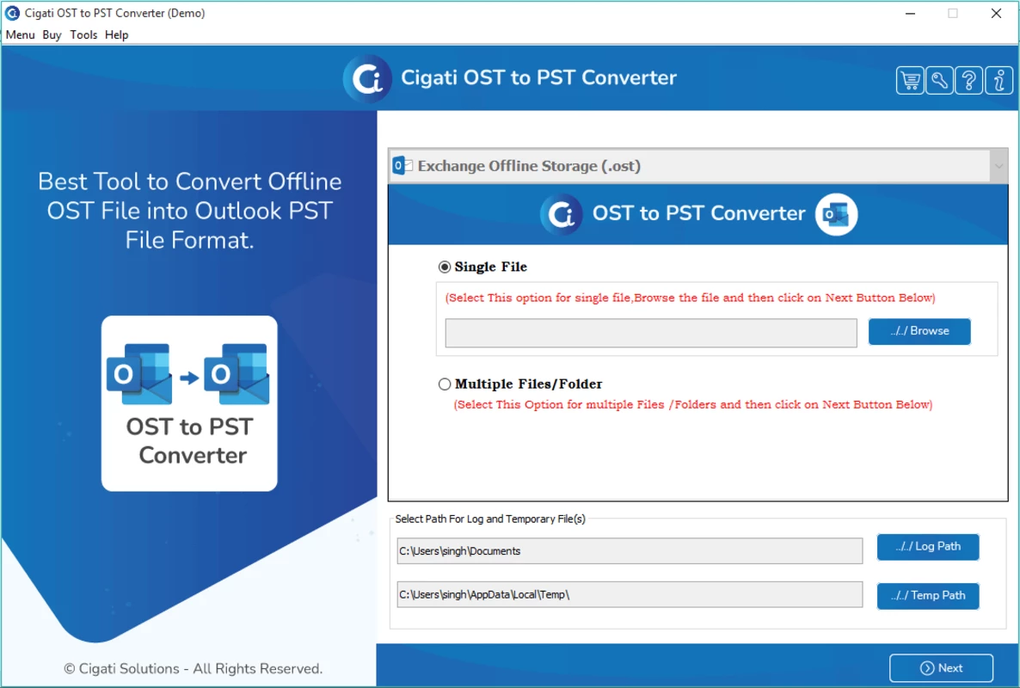
Using the tool is equally intuitive. After launching, you can browse and select your OST file from your local drive or network location. The software automatically detects the file structure, including folders, subfolders, and individual emails. You can then choose your desired output settings—such as splitting large files, removing duplicates, or selecting specific date ranges. The preview function allows you to review emails before conversion, giving you full control over what gets included in the final PDF. Once configured, clicking “Convert” initiates the process, with real-time progress updates and estimated completion time displayed on-screen.
What truly sets this tool apart is its cross-platform compatibility. Cigati OST to PDF Converter supports Windows 7/8/10/11, macOS 10.14 and later, and offers mobile versions for Android and iOS, ensuring you can access and manage your OST data from virtually any device. This flexibility is invaluable for remote teams or users who need to convert files on the go. The mobile apps are optimized for touchscreens and provide a simplified version of the desktop features, making on-the-fly conversions possible. Whether you're working from a desktop, laptop, tablet, or smartphone, the software maintains consistent performance and reliability across all platforms.
Pros and Cons: A Balanced Look at Cigati OST to PDF Converter
Like any software, Cigati OST to PDF Converter has its strengths and limitations. Understanding both helps users make informed decisions based on their specific needs.
✅ Pros
- Secure and Privacy-Focused: The software uses encryption and automatically deletes temporary files after conversion, protecting sensitive email data.
- Duplicate Email Removal: Automatically identifies and removes redundant emails, ensuring clean, organized PDF archives.
- Batch Conversion & File Splitting: Handles large OST files efficiently by allowing batch processing and splitting outputs into smaller, manageable PDFs.
- Free Demo Version: Offers a fully functional trial that lets users test conversion quality and features before purchasing.
- Cross-Platform Support: Works seamlessly on Windows, Mac, Android, and iOS, providing unmatched accessibility.
- High Conversion Accuracy: Preserves metadata, formatting, and attachments with 99%+ accuracy in most cases.
❌ Cons
- No Direct Cloud Integration: While it supports local file conversion, there’s no direct upload to cloud services like OneDrive or Google Drive.
- Advanced Features Locked in Free Version: The full suite of tools, including batch conversion and file splitting, is only available in the paid version.
- Learning Curve for Beginners: While the interface is clean, some advanced settings may require a basic understanding of OST file structure.
FAQ: Frequently Asked Questions About Cigati OST to PDF Converter
Can I convert OST files to PDF without Microsoft Outlook installed?
Yes, Cigati OST to PDF Converter works independently of Microsoft Outlook. It directly reads and processes OST files, making it ideal for users who no longer have access to their Outlook profile or are migrating from an old system.
Is the free demo version limited in functionality?
The free demo allows you to convert a limited number of emails and preview the output. However, full features like batch conversion, file splitting, and duplicate removal are only available in the licensed version.
Does the software support password-protected OST files?
Yes, Cigati OST to PDF Converter can handle password-protected OST files. You’ll need to enter the correct password during the import process to access the data.
How long does the conversion process take?
Conversion time depends on the size of the OST file and your system’s performance. Small files (under 1 GB) typically convert in under 5 minutes, while larger archives may take 15–30 minutes.
Can I convert OST files to other formats besides PDF?
Currently, the primary output format is PDF. However, the software may support additional formats in future updates. Check the official website for the latest feature list.
Conclusion: Why Cigati OST to PDF Converter Is a Must-Have Tool
If you're managing Outlook data and need a reliable, secure, and efficient way to convert OST files to PDF, Cigati OST to PDF Converter is an excellent choice. Its powerful features—such as duplicate removal, file splitting, batch processing, and cross-platform support—make it a standout in a crowded market. The free demo version allows you to test the software risk-free, ensuring you’re satisfied before investing. Whether you're an individual archiving personal emails or a business handling compliance documentation, this tool delivers speed, accuracy, and peace of mind.
With its intuitive interface, strong security protocols, and consistent performance across Windows, Mac, Android, and iOS, Cigati OST to PDF Converter is more than just a conversion tool—it’s a comprehensive data management solution. Don’t let outdated OST files hinder your productivity. Download Cigati OST to PDF Converter today and experience seamless, secure, and efficient email conversion.
CTA: Download Cigati OST to PDF Converter Now – Free Trial Available
Guides & Tutorials for Cigati OST to PDF Converter
How to install Cigati OST to PDF Converter
- Click the Preview / Download button above.
- Once redirected, accept the terms and click Install.
- Wait for the Cigati OST to PDF Converter download to finish on your device.
How to use Cigati OST to PDF Converter
This software is primarily used for its core features described above. Open the app after installation to explore its capabilities.
User Reviews for Cigati OST to PDF Converter 0
No reviews found





